



Variable Frequency Drive · Quick Start Guide
INVT GD28 – Initial Commissioning
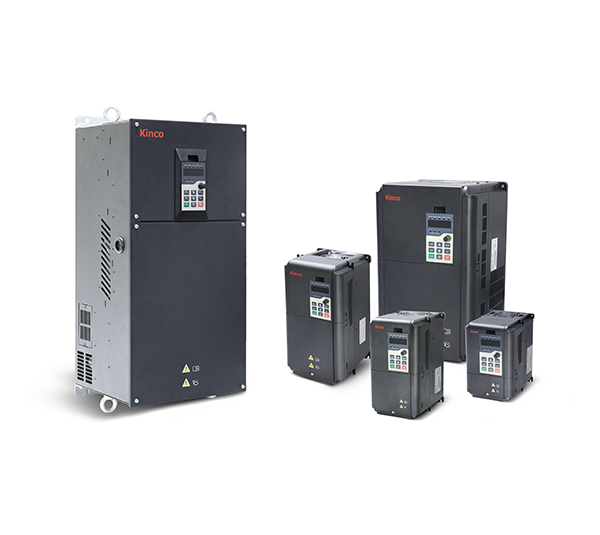
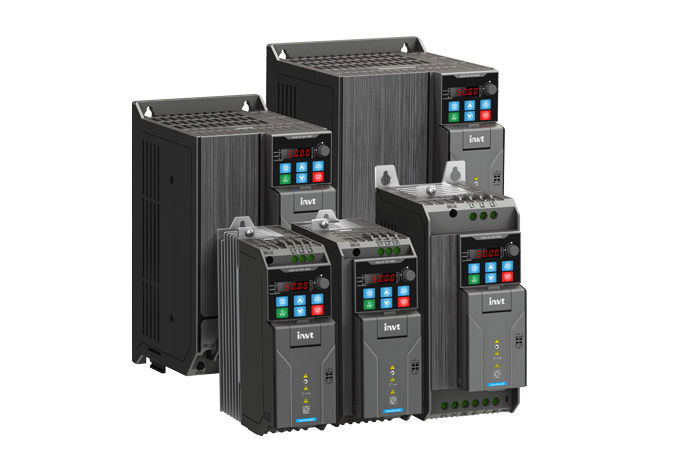
Compact general-purpose variable frequency drive with STO (SIL3), built-in brake chopper, and optional Ethernet communication card (PROFINET / EtherCAT / EtherNet/IP / Modbus TCP). This guide covers the essential commissioning steps.
First enter the rated values from the motor nameplate. These values are the basis for the subsequent autotuning (Part B), which automatically determines the electrical motor parameters (resistances, inductances).
| Parameter | Name | Value to Set | Description |
|---|---|---|---|
| P02.00 | Motor type | 0 | 0 = Asynchronous motor (AM) · 1 = Permanent magnet synchronous motor (SM) |
| P02.01 | Rated power | Nameplate (kW) | e.g. 2.2 kW |
| P02.02 | Rated frequency | 50.00 Hz | Standard for Europe; verify on nameplate |
| P02.03 | Rated speed | Nameplate (RPM) | e.g. 1450 RPM (4-pole, 50 Hz) |
| P02.04 | Rated voltage | Nameplate (V) | e.g. 400 V (delta connection) |
| P02.05 | Rated current | Nameplate (A) | Rated current for the selected wiring configuration |
Autotuning automatically determines the electrical motor parameters and is the prerequisite for precise control. For vector control (P00.00 = 0 or 1) autotuning is mandatory; in V/F mode (P00.00 = 2, factory default) it is optional but recommended.
| Parameter | Value | Method | Disconnect load? |
|---|---|---|---|
| P00.15 | 1 | Complete rotary — highest accuracy, motor rotates. Best choice for demanding vector control. | Yes — motor must be unloaded (no-load) |
| 2 | Complete static — motor does not rotate, all static parameters determined. | No — load may remain coupled | |
| 3 | Partial static — partial parameters only, fastest tuning. | No — load may remain coupled |
- Set P00.01 = 0 (control via keypad — prerequisite for autotuning).
- Set P00.15 to 1, 2 or 3 (see table) and confirm with
ENT. The display shows-TUN-. - Press the RUN key. The drive starts autotuning and shows the steps (e.g.
TUN-1). With rotary autotuning (P00.15 = 1) the motor now rotates. - Wait until the display shows
-End-. Autotuning is complete; the determined values are stored in P02.06–P02.14.
RUN/STOP keys on the 5-digit LED display control the drive directly.
Start/Stop via digital input terminals (DI1–DI4). Configure terminal functions in Step 5.
Start/Stop via Modbus RTU (RS-485) or optional Ethernet card. Configure communication parameters in Step 6.
| Parameter | Name | Value to Set | Description |
|---|---|---|---|
| P00.01 | Command source | 0 / 1 / 2 | Select according to the desired control method |
P00.01 = 2, also check P00.02. Leave at default 0 for Modbus RTU. For the optional Ethernet card (EC-TX149), select the protocol under P24.00.
Frequency setpoint via operator panel or parameter
P00.10 (keypad frequency preset, default 50.00 Hz).
0–10 V or 0–20 mA (switchable via hardware jumper on the control board).
−10–10 V or 0–20 mA. Also suitable for bipolar setpoint inputs.
Pulse frequency up to 50 kHz.
P05.00 = 0 (HDI1 as pulse input) required.
Up to 16 preset speeds selectable via DI bits (Group P10, parameters P10.02–P10.32).
Frequency setpoint calculated by internal PID controller (Group P09).
Frequency setpoint via RS-485 (register 0x2001) or optional Ethernet card.
| Parameter | Name | Value to Set | Description |
|---|---|---|---|
| P00.06 | Main frequency source A | 0–8 | Select according to the desired setpoint source |
| P00.03 | Maximum output frequency | 50.00 Hz | Upper frequency limit; adjust only if required |
| P00.10 | Keypad frequency preset | 50.00 Hz | Only relevant when P00.06 = 0 (keypad setpoint) |
Ramp times define the duration for the drive to accelerate from 0 Hz to maximum output frequency (P00.03) or decelerate in reverse. Ramp times that are too short may trigger overcurrent or overvoltage trips.
| Parameter | Name | Factory Default | Description |
|---|---|---|---|
| P00.11 | Acceleration time 1 | model-dep. | Time from 0 Hz to P00.03 (maximum output frequency) |
| P00.12 | Deceleration time 1 | model-dep. | Time from P00.03 to 0 Hz |
| P01.05 | Ramp curve type | 0 | 0 = Linear ramp · 1 = S-curve (smoother start for sensitive loads) |
The GD28 has 4 physical digital inputs (DI1–DI4) and the high-speed input HDI1 (up to 50 kHz). All DI terminals support PNP and NPN wiring (switchable via hardware jumper on the control board).
| Terminal | Parameter | Factory Default | Common Alternatives |
|---|---|---|---|
| DI1 | P05.01 | 1 = Forward run | 2 = Reverse run · 56 = Emergency stop |
| DI2 | P05.02 | 4 = JOG forward | 2 = Reverse run · 9 = External fault |
| DI3 | P05.03 | 7 = Fault reset | 8 = Pause · 13–15 = Frequency source A/B/combo |
| DI4 | P05.04 | 0 = No function | Can also be used as PTC input (motor temperature sensor) |
| HDI1 | P05.00 | 0 = Pulse input (up to 50 kHz) | 1 = Normal digital input; function via P05.11 |
| Terminal | Function | Note |
|---|---|---|
| STO1 | STO channel 1 (+24V–STO1) | Factory-bridged to +24 V (STO inactive). For SIL3 applications, remove jumper and connect external safety signal. |
| STO2 | STO channel 2 (+24V–STO2) | Redundant second channel. Both channels must be active simultaneously. Response time ≤ 20 ms. Use shielded cable ≤ 25 m. |
P05.05–P05.08) are virtual inputs with no physical terminal — switchable via communication only (Modbus register 0x200A).
| Parameter | Name | Recommended Setting | Description |
|---|---|---|---|
| P14.00 | Device address | 1 | Unique slave address 1–247. Factory default: 1. 0 = Broadcast (receive only). |
| P14.01 | Baud rate | 4 | 4 = 19200 baud (factory default) · 3 = 9600 · 5 = 38400 · 6 = 57600 · 7 = 115200 |
| P14.02 | Data format | 0 | 0 = N,8,1 RTU (recommended for most PLCs) · 1 = E,8,1 RTU (factory default) · 2 = O,8,1 RTU |
| P14.04 | Communication timeout | 0.0 s | 0.0 = disabled. In production machines, 1.0–5.0 s is recommended. |
| P14.05 | Behaviour on comm. fault | 0 | 0 = Alarm + coast stop · 2 = Stop (communication mode only) |
| Description | Hex Address | Dec. | Value (Hex) | Value (Dec) | Meaning |
|---|---|---|---|---|---|
| Control word (write) | 0x2000 | 8192 | 0x0001 | 1 | Forward run (Bit 0 = 1) |
| 0x2000 | 8192 | 0x0020 | 32 | Deceleration stop (Bit 5 = 1) | |
| 0x2000 | 8192 | 0x0040 | 64 | Fault reset (Bit 6 = 1) | |
| Frequency setpoint (write) | 0x2001 | 8193 | 0x1388 | 5000 | 50.00 Hz · Resolution 0.01 Hz · 5000 = 50.00 Hz |
| Output frequency (read) | 0x3000 | 12288 | Actual value | Actual output frequency (0.01 Hz) | |
| Output current (read) | 0x3004 | 12292 | Actual value | Output current (0.01 A) | |
P00.01 = 2 (command source: communication) and P00.06 = 10 (frequency source: communication).
The GD28 has a built-in brake chopper across all power ratings. To use it, a suitably rated external braking resistor must be connected to the braking resistor terminals on the drive (see wiring diagram in manual V1.3).
| Parameter | Name | Value to Set | Description |
|---|---|---|---|
| P08.39 | Enable dynamic braking | 1 | 0 = Disabled (factory default) · 1 = Enabled |
| P08.40 | Braking threshold voltage | 700 V | DC bus voltage at which the brake chopper engages. Factory default for 380 V models: 700 V · For 220 V models: 380 V. Range: 200.0–2000.0 V. |
Available in 30 days, delivery time 3 bis 5 Tage
Preis exkl. MwSt., zzgl. Versandkosten